
Related Products
Warehouse Automation Software: The Digital Brain Behind an Efficient Automated Warehouse
How warehouse automation software connects inventory, orders, equipment, and real-time operations into one coordinated system.
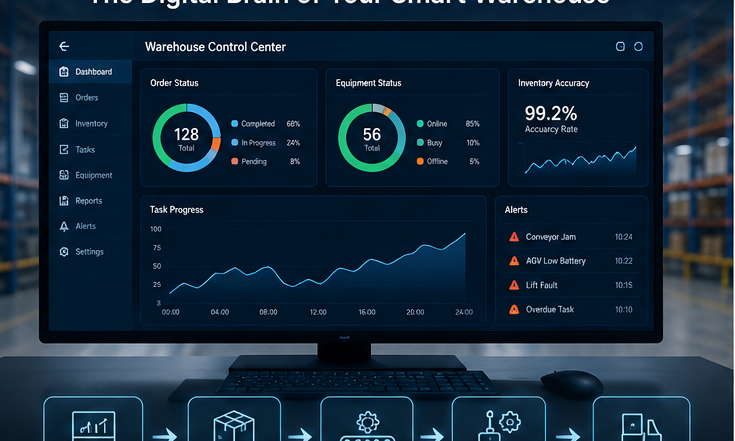
How warehouse automation software connects inventory, orders, equipment, and real-time operations into one coordinate...
Automated storage and retrieval systems, AGVs, AMRs, conveyors, and automated picking systems can replace a significant amount of manual work. However, these technologies do not automatically form an efficient warehouse simply because they are installed in the same facility. To coordinate different machines around inventory and order requirements, a warehouse also needs software for inventory management, task allocation, equipment scheduling, and operational analysis.
For this reason, warehouse automation software is more than a tool that connects warehouse equipment. It serves as the digital brain of the automated warehouse. Its performance, compatibility, and reliability directly affect throughput, order accuracy, equipment utilization, and the warehouse's ability to respond to changing demand.
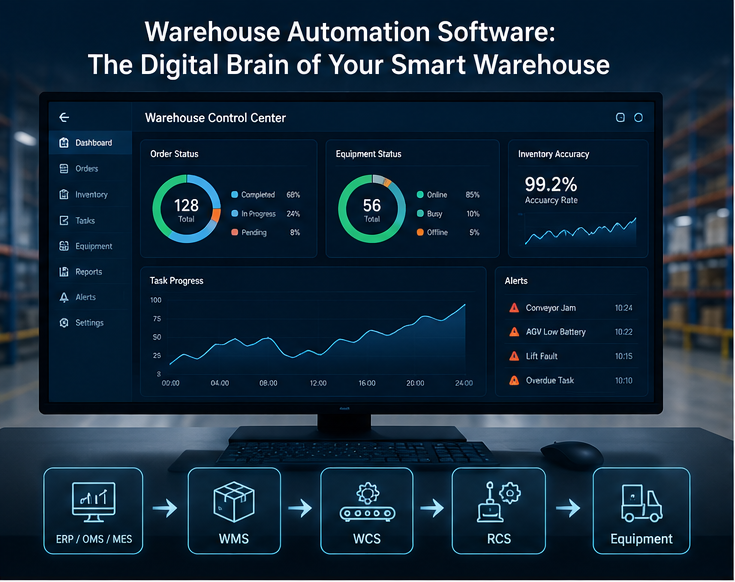
The Role of Warehouse Automation Software in an Automated Warehouse System
The primary role of warehouse automation software is to connect business processes with the equipment operating on the warehouse floor. When an ERP, order management, or production system generates a request for receiving, putaway, replenishment, picking, cycle counting, or shipping, the software converts that business requirement into executable tasks and coordinates the appropriate equipment.
For example, when the system receives an outbound order, it must identify the correct inventory location, confirm stock availability, select the appropriate tote or pallet, and send tasks to a stacker crane, four-way shuttle, AGV, or other handling equipment. Once the goods arrive at a picking station, the system must update the inventory status and report task completion to the upstream business system.
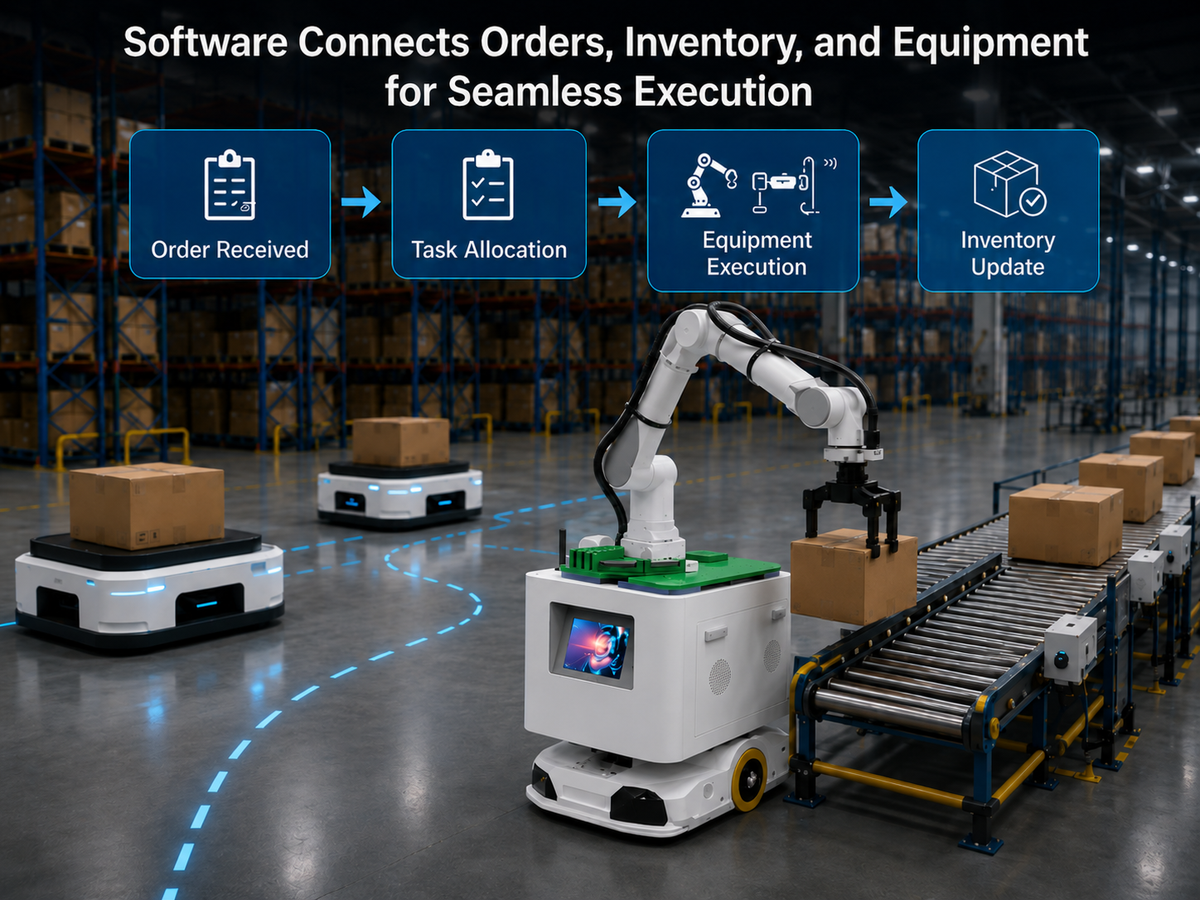
Throughout this process, warehouse automation software performs several essential functions:
- Connecting business systems and equipment: It converts order, inventory, and production requirements into tasks that automated equipment can execute.
- Coordinating equipment operations: It assigns work according to task priority, equipment location, availability, and operating status, helping reduce empty travel and waiting time.
- Managing inventory data: It records quantities, batches, locations, and inventory status in real time to improve inventory accuracy and traceability.
- Monitoring warehouse activity: It provides a centralized view of equipment status, task progress, alarms, and operational performance.
- Improving warehouse processes: It uses historical data to analyze equipment utilization, order cycle time, bottlenecks, and congestion so managers can continuously optimize operations.
Without unified software coordination, even advanced automation can suffer from disconnected information, conflicting tasks, localized congestion, slow exception handling, and underused equipment. Effective software turns individual machines into a coordinated warehouse system.
Types of Automated Warehouse Software
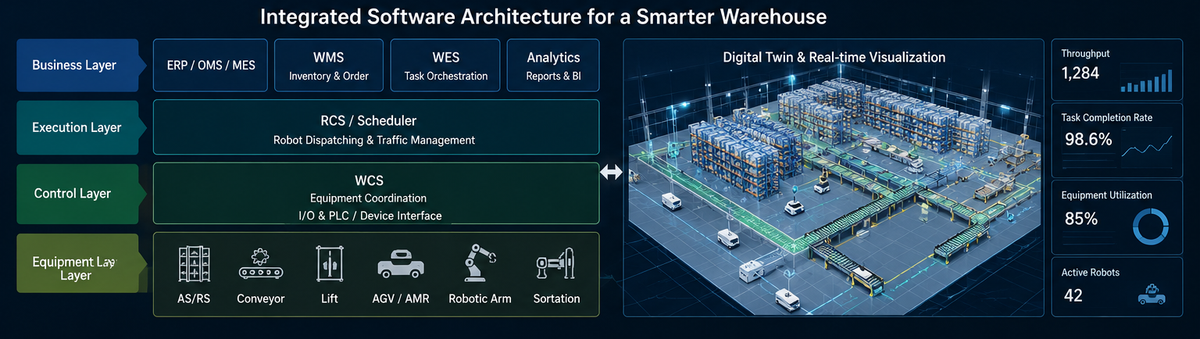
Different types of software manage different layers of an automated warehouse. Depending on the project, these systems may be deployed separately or combined within an integrated software platform.
Warehouse Management System (WMS)
A warehouse management system manages warehouse processes and inventory. Typical functions include receiving, putaway, location assignment, replenishment, picking, cycle counting, and shipping. In practical terms, a WMS focuses on what inventory is stored, where it is located, and which orders or warehouse activities need to be completed.
The WMS often connects with ERP, order management system (OMS), and manufacturing execution system (MES) platforms, allowing order and inventory data to move between enterprise business systems and warehouse execution software.
Warehouse Control System (WCS)
A warehouse control system sits between the WMS and the automation equipment. It converts warehouse tasks into equipment-level commands and can coordinate stacker cranes, shuttles, lifts, conveyors, and automated sortation equipment. The WMS determines what needs to be done, while the WCS manages how the equipment carries out the task.
Warehouse Execution System (WES)
A warehouse execution system focuses more heavily on task orchestration and real-time process optimization. It can dynamically adjust work sequences according to order priority, workstation load, inventory location, labor availability, and equipment status. This helps balance work across different zones rather than optimizing one machine or process in isolation.
WES capabilities are particularly valuable in facilities with several types of automation, multiple workstations, complex workflows, or significant order fluctuations. By synchronizing the flow of work, a WES can reduce local bottlenecks and improve overall throughput.
Robot Scheduling System (RSS/RCS)
A robot scheduling or robot control system manages AGVs, AMRs, and autonomous forklifts. It is responsible for task assignment, route planning, traffic control, charging management, and exception handling. It also prevents route conflicts when several robots operate in the same area.
Compatibility becomes especially important when a warehouse uses different types or brands of mobile robots. A capable scheduling system should coordinate the fleet as one operational resource while accounting for the capabilities and limitations of each vehicle.
Equipment Monitoring and 3D Digital Twin Systems
Equipment monitoring software displays machine status, task progress, fault alarms, and key performance indicators in real time. A 3D digital twin goes a step further by mapping the physical warehouse into a virtual environment, allowing managers to see equipment positions, material flows, and system activity more intuitively.
Digital twin capabilities can also support project planning, solution validation, operator training, troubleshooting, and long-term optimization. They make it easier to understand how changes to layout, routing, or workflow rules may affect the system before those changes are applied to the live warehouse.
How to Choose the Right Warehouse Software
Selecting warehouse automation software should not begin with a feature checklist or software quotation alone. The decision should start with the warehouse's actual business processes, performance targets, equipment environment, and long-term automation plan.
First, define the scale and operating profile of the warehouse. Important factors include the number of SKUs, storage capacity, average and peak order volumes, required throughput, pallet or tote specifications, inventory rules, and inbound and outbound workflows. A facility with relatively simple processes may only need core WMS and equipment-control functions. A warehouse with multiple automation technologies, many workstations, and high order concurrency will need stronger real-time orchestration and scheduling capabilities.
Second, evaluate equipment and system compatibility. The software should connect with both existing equipment and technologies that may be added in the future. It should also exchange data reliably with ERP, MES, OMS, and other business systems through well-defined interfaces. Software that only supports one equipment brand can restrict future expansion or make later upgrades more expensive.
System reliability is equally important. Automated warehouses often operate for long hours with little tolerance for disruption. The software should therefore include fault alarms, task recovery, data backup, permission management, and manual intervention options. If equipment fails, a network connection is interrupted, or inventory data does not match the physical goods, operators should be able to identify the problem quickly without stopping the entire warehouse.
Additional selection criteria should include:
- Modular scalability: Can the software add functions, workstations, storage zones, and equipment as the operation grows?
- Process configurability: Can workflows and operating rules be adjusted when products, order profiles, or service requirements change?
- Operational visibility: Does the platform provide real-time data, useful dashboards, alarms, and performance reports?
- Implementation experience: Does the supplier understand warehouse processes as well as automation equipment and software integration?
- Lifecycle support: Are maintenance, updates, troubleshooting, training, and long-term technical support available?
- Total cost of ownership: What costs may arise from integration, customization, licenses, upgrades, maintenance, and future expansion?
The right warehouse software is not necessarily the platform with the longest feature list. It is the system that can reliably support current operations, solve the warehouse's actual constraints, and leave enough flexibility for future expansion.
What Is Coolyne Warehouse Software?
Coolyne LCCS is an integrated software platform designed for automated warehouses and intralogistics applications. It brings WMS, WCS, an RSS robot scheduling system, and 3D digital twin capabilities into a unified environment, helping eliminate information silos between warehouse management, automation equipment, and mobile robots.
Through LCCS, warehouse managers can centrally manage inventory, orders, automated equipment, and mobile robots. The system can assign tasks according to priority, equipment location, traffic conditions, and workstation load, helping AGVs, AMRs, autonomous forklifts, and other warehouse equipment operate in a coordinated manner.
The platform's 3D digital twin displays the warehouse layout, equipment locations, task status, and material-flow routes in real time. When a task becomes blocked or equipment reports an exception, operators can use this visual environment to identify the affected area and investigate the issue more quickly.
Coolyne can also configure and integrate LCCS around a customer's warehouse layout, workflows, automation equipment, and existing IT systems. Whether a company is building a new automated warehouse or upgrading an existing facility in stages, the platform's modular architecture can support phased deployment and future expansion.
With unified warehouse automation software, companies can move beyond controlling individual machines and manage inventory, orders, people, and automated equipment as one connected operation. This system-level coordination helps improve warehouse throughput, inventory accuracy, equipment utilization, and overall operating stability.
Related Reading
Explore the Warehouse Automation Guide for a system-level overview, compare software needs with Miniload Automated Warehouse projects, and review the business case in our Warehouse Automation ROI guide.
Next Review
Move from article research to a scoped feasibility review.
Use the related products and solution paths below, then send your workflow and layout for a quick engineering review.
Related Solutions
Engineering Review