
Related Products
Order Fulfillment: Processes, Models, and Ways to Improve Efficiency
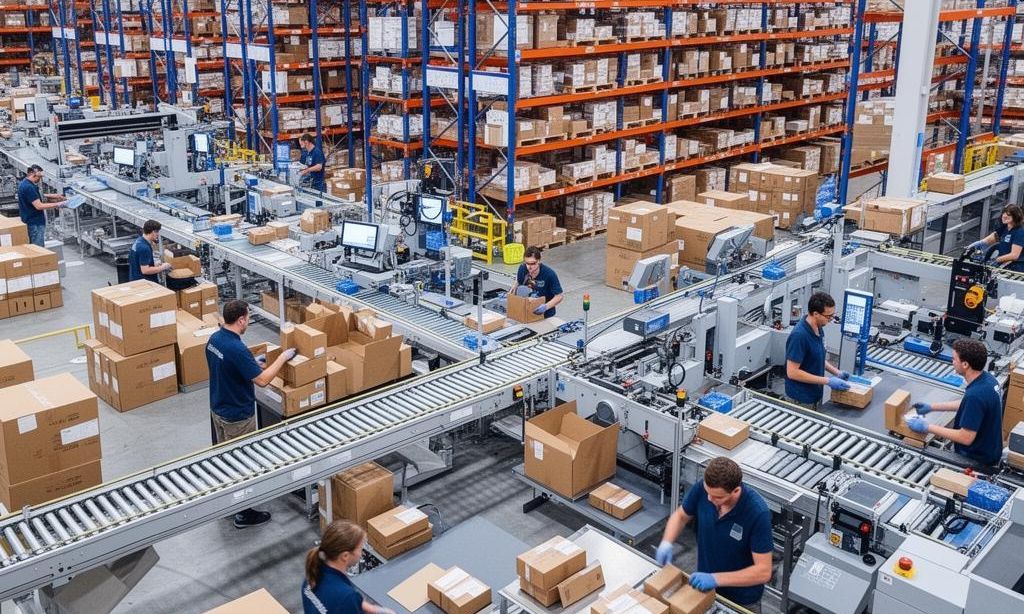
Order fulfillment is the process of picking, packing, shipping, and delivering products after a business receives a customer order.
Types of Order Fulfillment Models · How Does the Order Fulfillment Process Work? · Common Order Fulfillment Challenges
WAREHOUSE OPERATIONS / ORDER FULFILLMENT
Once a customer places an order, there's much more for the warehouse to do than pick and pack the items. Products may already be picked but still be waiting at the packing stations. Or parcels may be packed and labeled, only to miss the carrier's pickup for the day.
Order fulfillment covers the entire process, from receiving an order to delivering it to the customer. Inventory accuracy, smooth picking operations, packing capacity, and shipping schedules all affect when that customer actually receives the goods.
What Is Order Fulfillment?
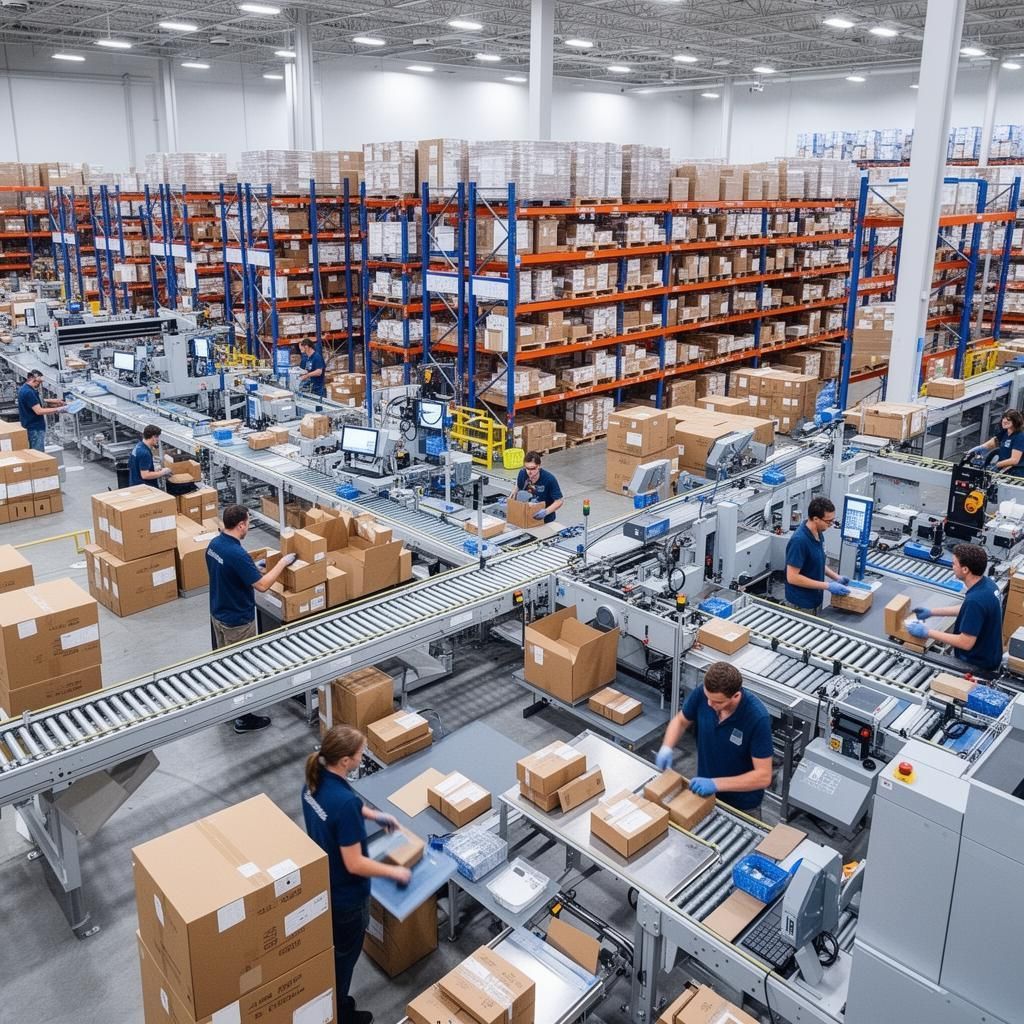
Order fulfillment is the process of picking, packing, shipping, and delivering products after a business receives a customer order. Inventory receiving, product storage, and returns processing are also related parts of the wider fulfillment operation.
Whether a company sells through e-commerce, distributes wholesale goods, or provides third-party logistics (3PL) services, order fulfillment is part of its day-to-day business. The way the work is handled, however, can vary.
Say a customer buys three different products online. The warehouse receives the order, checks stock availability, picks the items from their storage locations, verifies the quantities and specifications, then packs the order and hands it over to a carrier.
If one of those products is out of stock, things get more complicated. The warehouse may have to wait for replenishment, ship the available items first, or send the remaining product separately.
Types of Order Fulfillment Models
Not every business runs its own warehouse. Some handle everything from inventory storage to shipping in-house, while others leave that work to a third-party logistics provider.
Four common order fulfillment models are outlined below.
1. In-House Fulfillment
With in-house fulfillment, a business uses its own warehouse and operations team to manage inventory, pick orders, pack products, and ship them out.
The main advantage is direct control over the fulfillment process, including which orders get handled first, how products are packed, and what checks take place before shipping.
For example, a company selling industrial components may need to verify batch numbers, check product specifications, or use special packaging before dispatch. Handling these steps in its own warehouse often makes it easier to fit them into existing operations.
Of course, the business also covers the costs of warehouse space, equipment, labor, and day-to-day management. As order volumes grow, its existing facilities and staffing may no longer be enough.
2. Third-Party Logistics (3PL) Fulfillment
Businesses that do not want to operate their own warehouses can use third-party logistics providers instead.
The seller sends its inventory to a 3PL warehouse. When a customer orders, the order information goes to the provider, which takes care of picking, packing, and shipping.
This can be convenient for businesses shipping to several regions. Rather than renting warehouses and hiring staff in every market, they can use the provider’s existing storage and distribution network.
As order volumes increase, 3PL warehouses also face greater pressure on picking, storage, and dispatch operations. For more on those challenges, see 3PL Warehouse Automation.
Service capabilities vary, though. Some 3PL providers mainly handle standard e-commerce parcels, while others support batch tracking, specialized packaging, or other customized operations.
When choosing a provider, businesses should look beyond the price and check inventory accuracy, order processing speed, and whether the provider can meet their shipping requirements.
3. Dropshipping
Dropshipping works differently from the first two models.
The seller markets and sells products but generally does not hold the inventory itself. When a customer orders, the seller forwards the order to a supplier, which ships directly to the customer.
That eliminates much of the warehousing work and avoids the need to buy large quantities of stock upfront.
The trade-off is less direct control over stock availability, packaging quality, and dispatch times.
If the supplier runs out of stock or ships late, the seller is still the one who has to explain the delay to the customer.
4. Hybrid Fulfillment
Many businesses use more than one fulfillment model.
A retailer might process local orders from its own warehouse, send overseas orders through a 3PL, and have a supplier ship certain low-volume products directly.
Different products and markets can be handled in different ways instead of routing everything through one warehouse.
That flexibility also makes inventory management more complicated. When several warehouses and sales channels process orders at the same time, inventory records must stay up to date to prevent overselling or incorrect order allocation.
How Does the Order Fulfillment Process Work?
Several steps take place between products arriving at a warehouse and orders reaching customers. The details vary with the size of the operation and the type of goods, but the basic flow is much the same.
1. Receiving and Storing Inventory
When goods arrive, warehouse staff check quantities, SKUs, batch information, and product condition before putting the stock into assigned locations.
A warehouse management system (WMS) records where each product is stored and how much inventory is available.
When orders come in, staff use that information to locate the required items.
2. Receiving and Processing Orders
After a customer places an order, the details enter an order management system and are passed to the warehouse responsible for shipping it.
The warehouse checks the products, quantities, delivery address, and stock status before scheduling the work.
High-volume operations do not always process orders strictly in the order they arrive. They may prioritize them by carrier cutoff times, delivery requirements, or storage area.
For instance, orders that must be handed to a carrier that day may move into the picking queue first.
3. Order Picking
Next, the required products are picked from shelves or other storage locations.
The simplest approach is single-order picking, where a worker handles one order at a time.
If many orders contain the same item, batch picking allows workers to collect the combined quantity in one trip and sort it into individual orders afterward.
Larger warehouses also commonly use zone picking, with workers responsible for the products stored in their assigned areas.
Some automated warehouses use AGVs, AMRs, or automated storage and retrieval systems (AS/RS) to bring shelves, totes, or other storage units to designated picking stations.
4. Order Checking and Packing
Once the items reach the packing area, staff check the SKUs, quantities, and order requirements to make sure nothing is missing or incorrect.
They then choose suitable cartons, cushioning, or other packaging, seal the parcel, and print the shipping label.
Fragile, temperature-sensitive, or other specialized products may need additional protection and inspection.
5. Shipping and Delivery
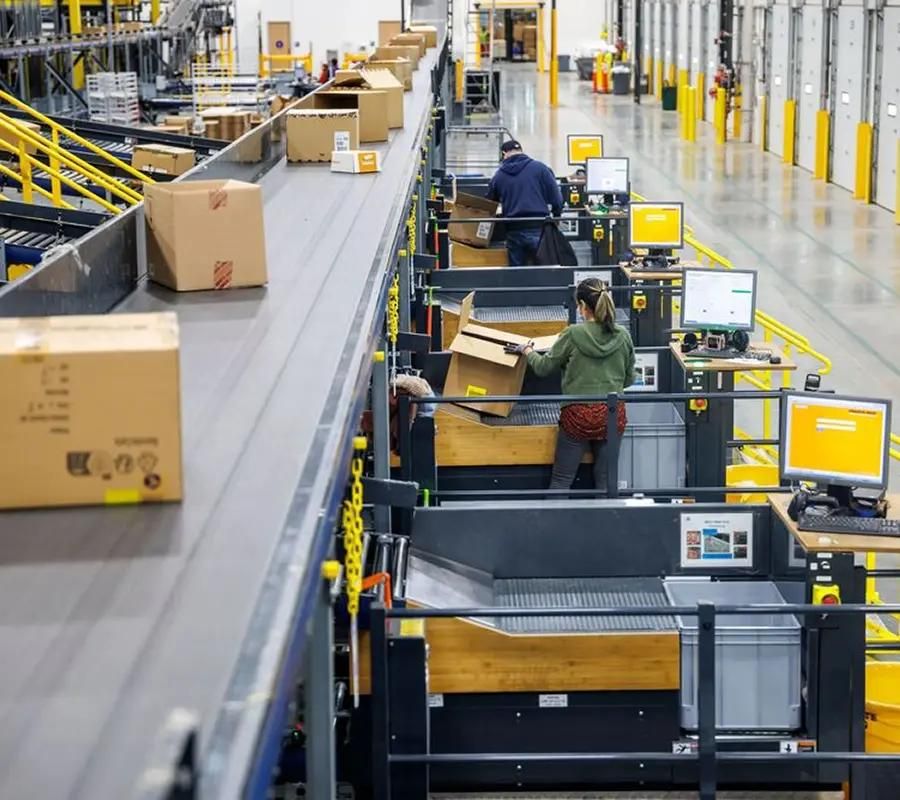
Packed parcels are sorted and consolidated by carrier, delivery route, or service level.
After the warehouse completes the outbound scan and hands the goods to the carrier, the carrier takes responsibility for the remaining transport.
Tracking information is usually synchronized with the e-commerce platform or order management system so customers can follow their deliveries.
6. Returns Processing
Returned goods cannot simply be placed straight back on the shelf.
The warehouse first checks their condition and decides whether they can be resold. Damaged goods may need to be repaired, scrapped, or handled in another way.
Items that are fit for resale are put back into inventory, and the stock records are updated.
Common Order Fulfillment Challenges
When order volumes are low, warehouse teams can often resolve problems through manual coordination. As the number of orders and SKUs grows, inventory errors, slow picking, and shipping backlogs become much harder to ignore.
1. The System Shows Stock, but the Warehouse Cannot Find It
This is a familiar problem in many warehouses.
The WMS says an item is available in a particular location, but when a picker arrives, the shelf is empty.
The item may have been recorded incorrectly when received, moved without a location update, or put away in the wrong place.
To complete the order, staff have to search other locations or even recount inventory. A picking task that should take a few minutes can end up taking much longer.
2. Pickers Spend Too Much Time Walking
Some warehouses struggle with picking efficiency not because workers are slow, but because products are spread too far apart.
An order containing several SKUs may send a picker from one end of the warehouse to the other.
Picking up the items may take only a short time. Much of the shift goes into walking, finding locations, and waiting.
The larger the warehouse, the more noticeable this problem can become.
3. Packing and Shipping Fall Behind When Orders Surge
Order volumes can jump during promotions or holiday periods.
A warehouse may add temporary pickers and successfully speed up picking, while still relying on the same few packing benches.
Picked items then pile up faster than the packing team can process them.
And packing is not the final step: parcels still need sorting, consolidation, and carrier handoff. If any of those stages falls behind, orders may ship late.
4. Order and Inventory Updates Arrive Too Late
E-commerce platforms, ERP systems, WMS software, and transportation management systems all need to exchange order and inventory information.
If those updates are delayed, the warehouse may keep working on a canceled order or ship to an address that the customer has already changed.
The problem becomes more complicated when several sales channels share the same inventory.
For example, an item sells on one platform while another still shows it in stock, and both orders are accepted.
5. The Cost of Processing Each Order Keeps Rising
Every order uses labor, packaging materials, equipment, and warehouse resources.
Some orders contain only a few products but require picks from several locations and repeated checking.
Add extra handling, waiting time, and rework, and the actual cost per order can be much higher than expected.
These costs matter especially to e-commerce businesses with large order volumes and relatively low average order values.
How to Improve the Order Fulfillment Process
Improving order fulfillment does not always mean buying more equipment or expanding the warehouse. Sometimes a change in slotting, picking methods, or work allocation makes a difference.
Start by finding the part of the operation that is slowing orders down the most.
1. Keep Inventory Records Accurate
When inventory records are unreliable, picking and shipping become difficult to manage.
Warehouses can use barcode scanning during receiving, putaway moves, replenishment, and dispatch, with a Warehouse Management System recording changes to stock quantities and locations.
For example, if a worker moves a batch of goods from rack A to rack B, the new location should be recorded when the move is completed, not left until the next stock count.
Cycle counting helps, too. Rather than waiting until the end of the year to check all inventory, warehouses can regularly verify quantities at selected locations based on how quickly the products move.
Fast-selling items with frequent inbound and outbound movements may need to be counted more often.
2. Choose a Picking Method That Fits Your Orders
If a warehouse picks every order separately, workers may end up visiting the same shelf over and over for different customers.
As order volumes rise, batch picking may be worth considering.
For example, if 20 orders all need the same product, it makes more sense to pick the total quantity in one trip and distribute it to the individual orders afterward than to make 20 separate trips.
If the warehouse is large and products are spread across different areas, zone picking may be a better fit.
An order with five items might have three in zone A and two in zone B. Each team picks the items in its own zone and sends them to an order consolidation station.
That saves one worker from walking around the entire warehouse to complete a single order.
Batch picking does create additional sorting work, and zone picking needs an order consolidation step. The best approach depends on the order mix and warehouse layout.
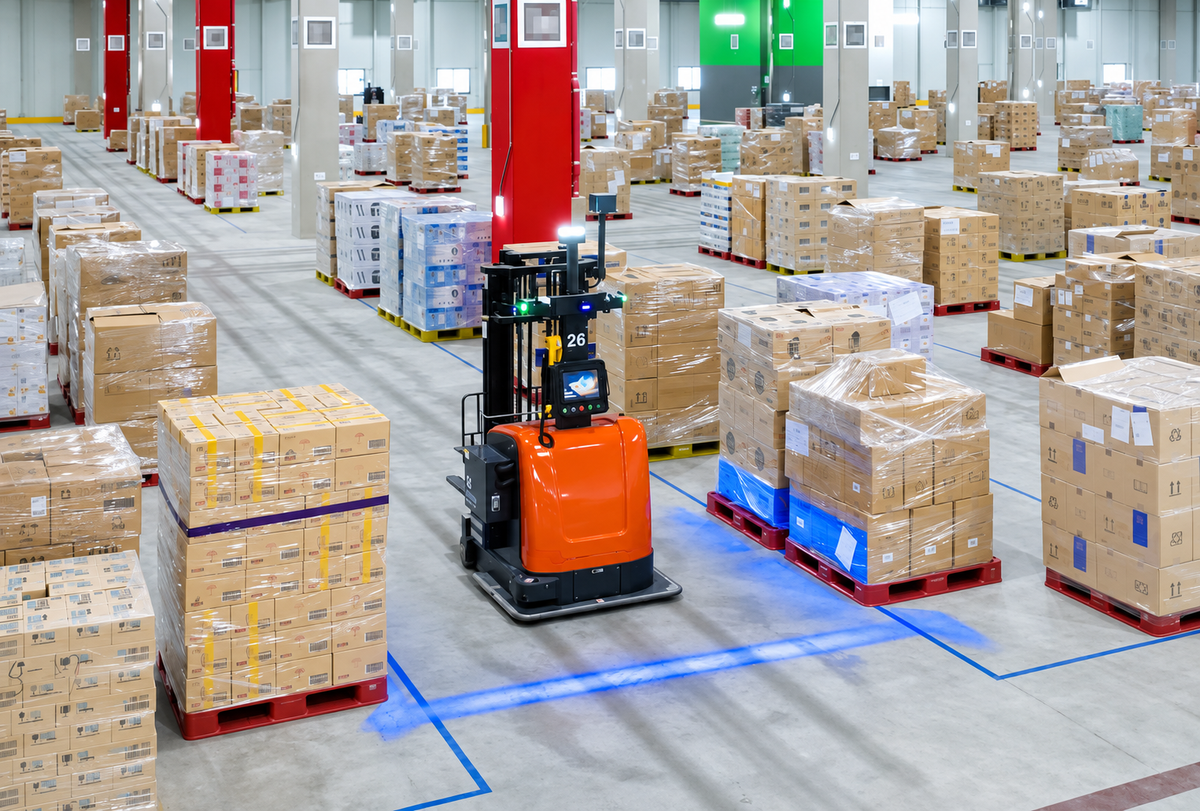
3. Use AGVs and AMRs to Cut Down on Repetitive Transport
In a conventional warehouse, pickers do more than pick products. They also spend time pushing carts, moving totes, and walking between shelves and workstations.
Some of that work can be handled by AGVs or AMRs.
In a goods-to-person picking system, for example, robots bring storage racks or totes to a fixed workstation, where the worker picks the required items.
Pickers no longer have to keep walking into the storage area, reducing the time spent searching for and moving products.
These stations can also be equipped with barcode scanners, electronic displays, and other picking aids to help workers verify orders.
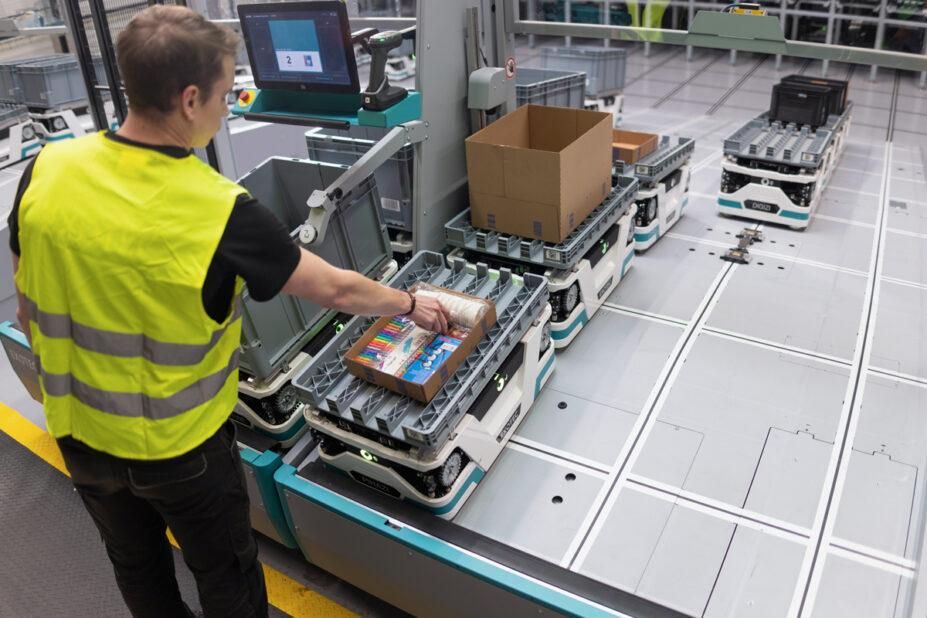
For small products and a large number of SKUs, tote-handling or goods-to-person systems may be suitable. Warehouses handling larger, heavier loads may be better served by pallet-handling AGVs.
Coolyne’s Automated Warehouse Picking Systems article covers different automated picking methods and where they work best.
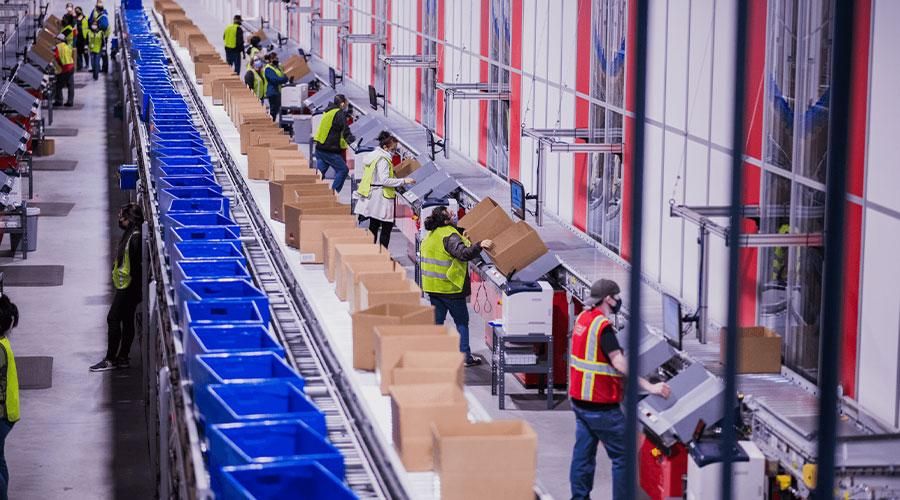
4. Do Not Let Packing Become the Next Bottleneck
Suppose a warehouse can pick 500 orders per hour, but its packing area can handle only 300.
Adding more pickers will not increase the number of orders the packing area can finish each hour.
It is more useful to look at the number of packing stations, staffing, and how products are handled when they arrive.
For example, single-item parcels can be routed to fast-packing stations, while fragile products and special-packaging orders go to separate areas.
If products arrive from several picking zones, conveyors or sorting equipment can direct them to the appropriate packing stations.
Carrier cutoff times also matter.
If an order has to ship today but has not reached packing by the afternoon, faster picking alone may not be enough to make the carrier pickup.
5. Place Fast-Moving Products Where They Are Easier to Pick
Some products sell every day but are stored a long way from the picking area.
Workers may make the same long trip for those items dozens of times, and the wasted minutes add up.
By reviewing order history and picking frequency as part of warehouse layout planning, warehouses can move high-frequency SKUs into more accessible locations.
It is also worth checking whether products frequently ordered together could be stored closer to one another.
Of course, slotting decisions must also account for product size, weight, and replenishment needs. A fast-selling item should not automatically take up all the space near the picking stations.
The arrangement of the warehouse’s work areas matters just as much as shelf locations.
For instance, if picked goods must pass through a busy receiving area on the way to packing, inbound and outbound handling can interfere with each other and create congestion.
Changing material flow to reduce crossings between receiving, picking, and shipping routes is often more effective than simply moving goods faster.
6. Use the Data to See Whether Changes Are Working
After making changes, a warehouse should look beyond whether employees seem busier or whether more orders are being processed each day.
The questions are whether orders are shipping sooner, errors are falling, and costs are coming down.
Useful order fulfillment metrics include:
- Order Fulfillment Cycle Time: How long it takes from receiving an order to completing fulfillment. Use the same endpoint when comparing results.
- Order Accuracy Rate: The share of completed orders with the correct products and quantities.
- On-Time Shipping Rate: The share of orders shipped within the promised timeframe.
- Cost per Order: The average cost of fulfilling one order.
These metrics are more useful when viewed together.
A warehouse might switch to batch picking and see a clear increase in picking speed, while its on-time shipping rate barely changes.
On closer inspection, picked items are still piling up in the packing area because the team cannot process them quickly enough.
In that case, adding more picking capacity is unlikely to help much. Clearing the backlog at packing is more likely to shorten the time it takes to get orders out.
Coolyne provides AGV/AMR, automated picking, and warehouse material handling solutions. If your warehouse is dealing with slow picking, too much manual transport, or limited order processing capacity, contact us to discuss automation options that fit your existing layout and operational needs.
Next Review
Move from article research to a scoped feasibility review.
Use the related products and solution paths below, then send your workflow and layout for a quick engineering review.
Related Solutions
Engineering Review